In short
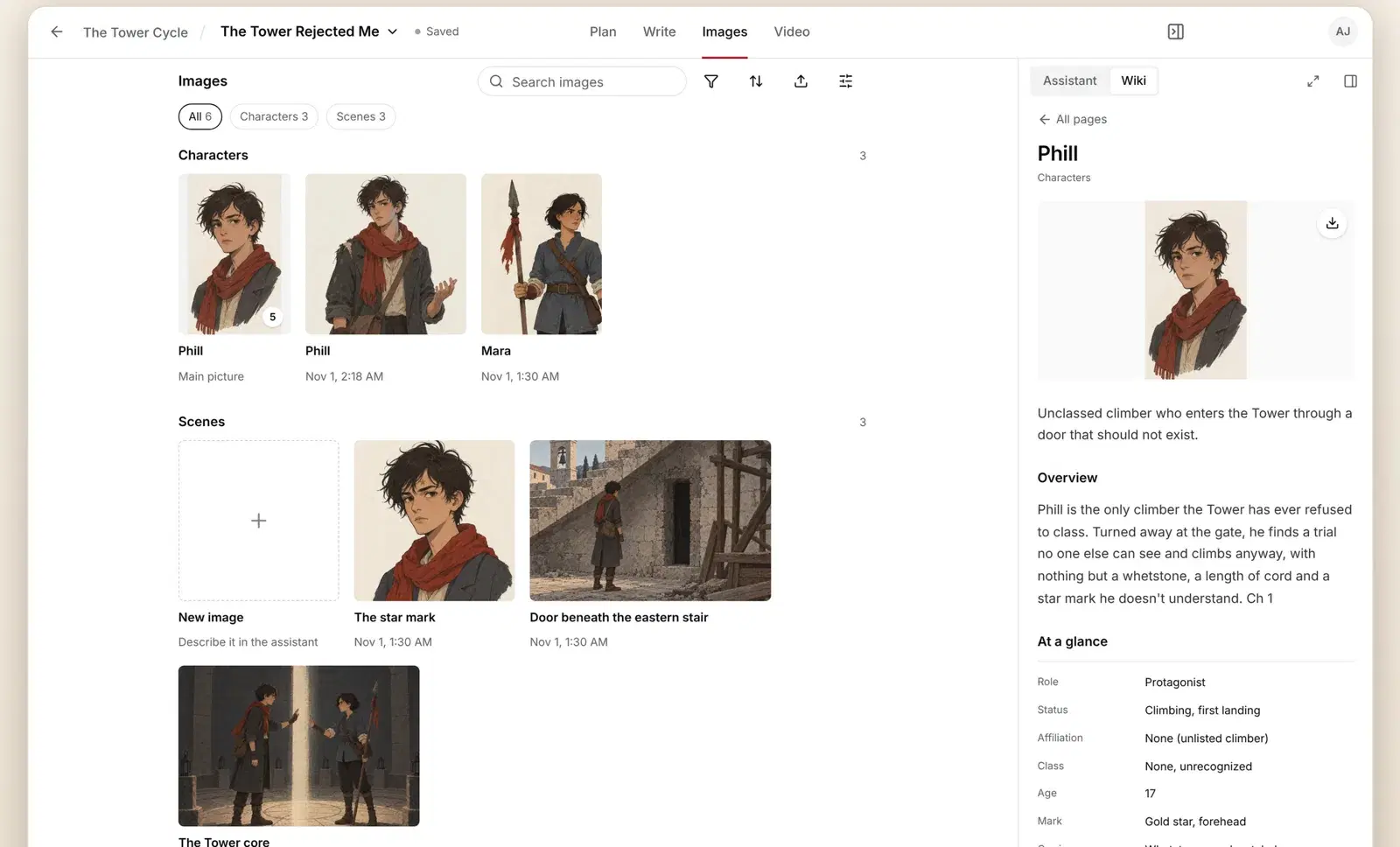
Pictures start on the Writer plan. Open Images, describe what you want in the Assistant, and approve each character's sheet once. Every later picture of that character uses the same sheet, so faces and outfits stay the same.
Make a picture
- Open your book and switch to Images.
- Click New image and describe it in the Assistant, for example "Mara on the eastern stair at dusk". Characters and places are matched to your Wiki by name.
- The first time a character appears, check their character sheet and click Approve all. Sheets are saved to the Wiki for next time.
- Your picture appears in Images and on the matching Wiki page.
Choose the look
- Quality: Low, Medium or High. Medium is the default and suits most pictures; Fast gives quicker drafts with less detail.
- Style: Default, Watercolor, Comic ink, Painterly, Noir or Photoreal, or describe your own tone. Your choice is remembered for the project.
Want to understand why faces drift in AI art and how sheets fix it? Read consistent image generation.
Questions
How many credits is a picture?
About 85 credits for a typical picture, including its character references. Low quality costs much less and High costs more. The Images tab shows the cost per render before you make it.
Why can't I make pictures on Free?
Pictures are the most expensive thing we make, so they start on Writer at $20 a month.
A picture was refused. Why?
The picture service turns down some requests, such as graphic violence. Rephrase the description and try again. A refused or failed picture gives its credits back.
Email asim@axiomstory.com and a person will answer.