In short
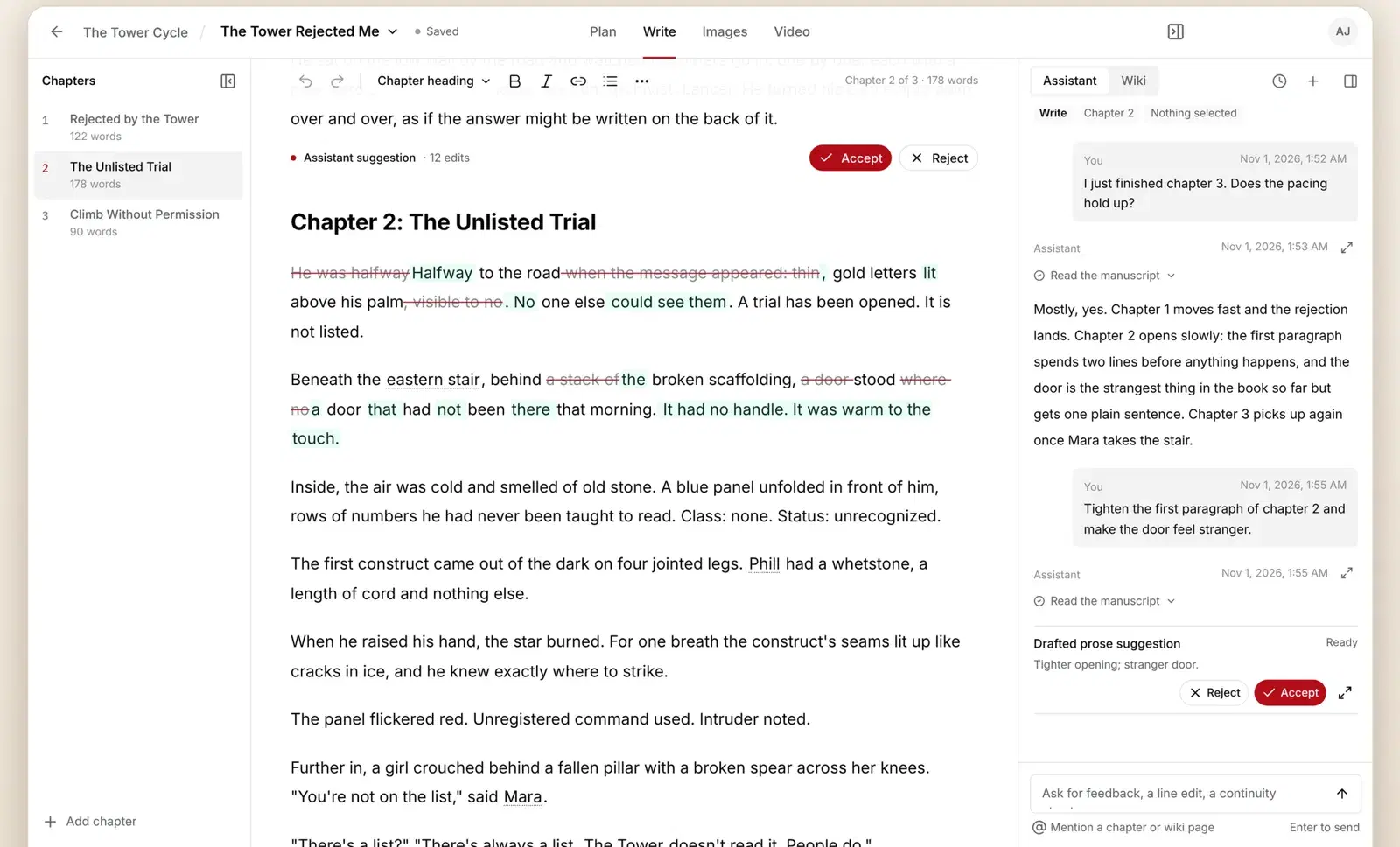
Open the Assistant panel beside your chapter and ask for what you want in plain words. It reads your manuscript and Wiki, and any change it makes appears as tracked edits that you Accept or Reject.
Ask for a change
- Open a chapter in Write and make sure the Assistant panel is open on the right.
- Type a request, or pick a starter such as Continue this chapter, Strengthen this scene or Check continuity.
- Type @ to point at a chapter or a Wiki page when your request is about something specific.
- Review the suggestion in your text, then click Accept or Reject. Use Accept all or Reject all for many edits at once.
What it's good at
- Feedback on pacing, clarity and character voice, with the chapter it's talking about.
- Line edits and rewrites of a paragraph or a scene.
- Continuity checks against your earlier chapters and your Wiki.
- Drafting the next scene or chapter in your style, for you to keep, edit or throw away.
- In Plan, turning a story idea into an outline.
Nothing changes in your manuscript until you accept it.
Questions
How many credits does a message use?
At least 5 credits. Most chapter-sized replies cost 3 to 15 credits; long drafts cost more. See what credits buy.
Can I use the Assistant on the Free plan?
Yes. Free comes with 250 one-time credits you can spend on the Assistant, a Wiki build and voices.
Still stuck?
Try AxiomStory freeEmail asim@axiomstory.com and a person will answer.